MySQL – éviter les doublons dans un SELECT
Il suffit d’utiliser la clause DISTINCT entre SELECT et les champs.
Exemple :
SELECT DISTINCT id,nom,prenom FROM matable
Il suffit d’utiliser la clause DISTINCT entre SELECT et les champs.
Exemple :
SELECT DISTINCT id,nom,prenom FROM matable
source: http://www.debianworld.org/securite.knockd
Knockd est un petit daemon qui autorise ou non une connexion à votre serveur. Pour cela il écoute les ports de votre machine et attend une séquence bien précise de connexions sur les ports que vous avez définis. Si la séquence définie est exécuté dans le bon ordre, le daemon va ouvrir le port et permettre une connexion pour un temps déterminé sur le port ssh par exemple. La séquence peut utiliser des connexions TCP ou UDP ou les deux.
Ainsi, d’un point de vue extérieur le serveur n’a aucun port d’ouverts exception faite pour les clients qui ont la séquence « magique ».
Running MySQL at optimal settings for specific resources helps handle larger server loads and prevents server slowdown. Generally, after tuning Apache to handle larger loads, it is beneficial to tune MySQL to additional connections.

Database tuning is an expansive topic, and this guide covers only the basics of editing your MySQL configuration. Large MySQL databases can require a considerable amount of memory. For this reason, we recommend using a high memory Linode for such setups.
The steps in this guide require root privileges. Be sure to run the steps below as root or with the
sudoprefix. For more information on privileges see our Users and Groups guide.
In order to determine if your MySQL database needs to be reconfigured, it is best to look at how your resources are performing now. This can be done with the top command or with the Linode Longview service. At the very least, you should familiarize yourself with the RAM and CPU usage of your server, which can be discovered with these commands:
1 2 | echo [PID] [MEM] [PATH] && ps aux | awk '{print $2, $4, $11}' | sort -k2rn | head -n 20
ps -eo pcpu,pid,user,args | sort -k 1 -r | head -20
|
The MySQLTuner script assesses your MySQL installation, and then outputs suggestions for increasing your server’s performance and stability.
Download and run MySQLTuner:
1 | curl -L http://mysqltuner.pl/ | perl |
It outputs your results:
1 2 3 4 5 6 7 8 9 10 11 12 13 14 15 16 17 18 19 20 21 22 23 24 25 26 27 28 29 30 31 32 33 34 35 36 37 38 39 40 | >> MySQLTuner 1.4.0 - Major Hayden <[email protected]> >> Bug reports, feature requests, and downloads at http://mysqltuner.com/ >> Run with '--help' for additional options and output filtering Please enter your MySQL administrative login: root Please enter your MySQL administrative password: [OK] Currently running supported MySQL version 5.5.41-0+wheezy1 [OK] Operating on 64-bit architecture -------- Storage Engine Statistics ------------------------------------------- [--] Status: +ARCHIVE +BLACKHOLE +CSV -FEDERATED +InnoDB +MRG_MYISAM [--] Data in InnoDB tables: 1M (Tables: 11) [--] Data in PERFORMANCE_SCHEMA tables: 0B (Tables: 17) [!!] Total fragmented tables: 11 -------- Security Recommendations ------------------------------------------- [OK] All database users have passwords assigned -------- Performance Metrics ------------------------------------------------- [--] Up for: 47s (113 q [2.404 qps], 42 conn, TX: 19K, RX: 7K) [--] Reads / Writes: 100% / 0% [--] Total buffers: 192.0M global + 2.7M per thread (151 max threads) [OK] Maximum possible memory usage: 597.8M (60% of installed RAM) [OK] Slow queries: 0% (0/113) [OK] Highest usage of available connections: 0% (1/151) [OK] Key buffer size / total MyISAM indexes: 16.0M/99.0K [!!] Query cache efficiency: 0.0% (0 cached / 71 selects) [OK] Query cache prunes per day: 0 [OK] Temporary tables created on disk: 25% (54 on disk / 213 total) [OK] Thread cache hit rate: 97% (1 created / 42 connections) [OK] Table cache hit rate: 24% (52 open / 215 opened) [OK] Open file limit used: 4% (48/1K) [OK] Table locks acquired immediately: 100% (62 immediate / 62 locks) [OK] InnoDB buffer pool / data size: 128.0M/1.2M [OK] InnoDB log waits: 0 -------- Recommendations ----------------------------------------------------- General recommendations: Run OPTIMIZE TABLE to defragment tables for better performance Enable the slow query log to troubleshoot bad queries Variables to adjust: query_cache_limit (> 1M, or use smaller result sets) |
MySQLTuner offers suggestions regarding how to better the database’s performance. If you are wary about updating your database on your own, following MySQLTuner’s suggestions is one of the safer ways to improve your database performance.
When altering the MySQL configuration, be alert to the changes and how they affect your database. Even when following the instructions of programs such as MySQLTuner, it is best to have some understanding of the process.
The file you are changing is located at /etc/mysql/my.cnf.
Prior to updating the MySQL configuration, create a backup of the
my.cnffile:
1 cp /etc/mysql/my.cnf ~/my.cnf.backupBest practice suggests that you make small changes, one at a time, and then monitor the server after each change. You should restart MySQL after each change:
For systems without systemd:
1 systemctl restart mysqldFor distributions which don’t use systemd:
1 service mysql restartWhen changing values in the
my.cnffile, be sure that the line you are changing hasn’t been commented out with the pound (#) prefix.
Changing the key_buffer allocates more memory to MySQL, which can substantially speed up your databases, assuming you have the memory free. The key_buffer size should generally take up no more than 25 percent of the system memory when using the MyISAM table engine, and up to 70 percent for InnoDB. If the value is set too high, resources are wasted.
According to MySQL’s documentation, for servers with 256MB (or more) of RAM with many tables, a setting of 64M is recommended. Servers with 128MB of RAM and fewer tables can be set to 16M, the default value. Websites with even fewer resources and tables can have this value set lower.
This parameter lets you set the maximum size of a sendable packet. A packet is a single SQL state, a single row being sent to a client, or a log being sent from a master to a slave. If you know that your MySQL server is going to be processing large packets, it is best to increase this to the size of your largest packet. Should this value be set too small, you would receive an error in your error log.
This value contains the stack size for each thread. MySQL considers the default value of the thread_stack variable sufficient for normal use; however, should an error relating to the thread_stack be logged, this can be increased.
If thread_cache_size is “turned off” (set to 0), then any new connection being made needs a new thread created for it. When the connections disengage the thread is destroyed. Otherwise, this value sets the number of unused threads to store in a cache until they need to be used for a connection. Generally this setting has little affect on performance, unless you are receiving hundreds of connections per minute, at which time this value should be increased so the majority of connections can be made on cached threads.
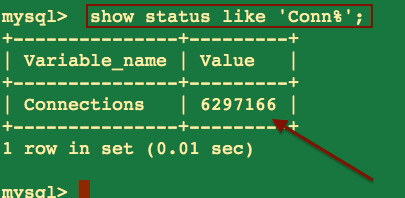
This parameter sets the maximum amount of concurrent connections. It is best to consider the maximum amount of connections you have had in the past before setting this number, so you’ll have a buffer between that upper number and the max_connections value. Note, this does not indicate the maximum amount of users on your website at one time; rather it shows the maximum amount of users making requests concurrently.
This value should be kept higher than your open_tables value. To determine this value use:
1 | SHOW STATUS LIKE 'open%'; |
As with all relational databases, MySQL can prove to be a complicated beast, one that can crawl to a halt at a moment’s notice, leaving your applications in the lurch and your business on the line.
The truth is, common mistakes underlie most MySQL performance problems. To ensure your MySQL server hums along at top speed, providing stable and consistent performance, it is important to eliminate these mistakes, which are often obscured by some subtlety in your workload or a configuration trap.
Luckily, many MySQL performance issues turn out to have similar solutions, making troubleshooting and tuning MySQL a manageable task.
Here are 10 tips for getting great performance out of MySQL.
The best way to understand how your server spends its time is to profile the server’s workload. By profiling your workload, you can expose the most expensive queries for further tuning. Here, time is the most important metric because when you issue a query against the server, you care very little about anything except how quickly it completes.
The best way to profile your workload is with a tool such as MySQL Enterprise Monitor’s query analyzer or the pt-query-digest from the Percona Toolkit. These tools capture queries the server executes and return a table of tasks sorted by decreasing order of response time, instantly bubbling up the most expensive and time-consuming tasks to the top so that you can see where to focus your efforts.
Workload-profiling tools group similar queries together, allowing you to see the queries that are slow, as well as the queries that are fast but executed many times.
Full-text search, or FTS, is a technique used by search engines to find results in a database. You can use it to power search results on websites like shops, search engines, newspapers, and more.
More specifically, FTS retrieves documents that don’t perfectly match the search criteria. Documents are database entities containing textual data. This means that when a user searches for « cats and dogs », for example, an application backed by FTS is able to return results which contain the words separately (just « cats » or « dogs »), contain the words in a different order (« dogs and cats »), or contain variants of the words (« cat » or « dog »). This gives applications an advantage in guessing what the user means and returning more relevant results faster.
Technically speaking, database management systems (DBMS) like MySQL usually allow partial text lookups using LIKE clauses. However, these requests tend to underperform on large datasets. They’re also limited to matching the user’s input exactly, which means a query might produce no results even if there are documents with relevant information.
Using FTS, you can build a more powerful text search engine without introducing extra dependencies on more advanced tools. In this tutorial, you will use MySQL 5.6 to query a database using full-text search, then quantify the results by their relevance to the search input and display only the best matches.
Before you begin this tutorial, you will need: