Simple versioned TimeMachine-like backup using rsync
 Using TimeMachine with rsync: Over many years, I have dealt with scripts that do backup versioning, i.e., maintain multiple backups. Due to their flexibility, they have been complex to understand and configure. Here is a simple rsync-based tool with a different focus: The experienced systems administrator who wants to keep his system’s complexity down.
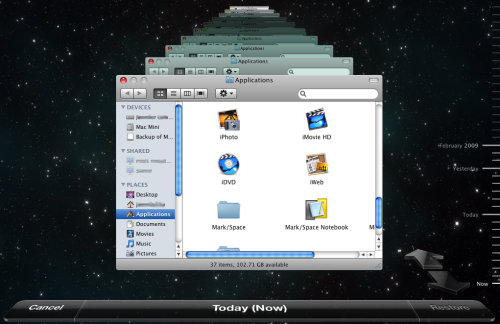
Backup in action: TimeMachine and rsync
It consists of a simple script, which you can call rsync-backup.sh and store wherever you like, e.g., in /usr/local/sbin. I will use these names and paths in the examples.
#!/bin/sh
# Usage: rsync-backup.sh <src> <dst> <label>
if [ "$#" -ne 3 ]; then
    echo "$0: Expected 3 arguments, received $#: $@" >&2
    exit 1
fi
if [ -d "$2/__prev/" ]; then
    rsync -a --delete --link-dest="$2/__prev/" "$1" "$2/$3"
else
    rsync -a                                   "$1" "$2/$3"
fi
rm -f "$2/__prev"
ln -s "$3" "$2/__prev"
During normal operation, it boils down to three simple statements:
rsyncwith--link-dest: Copying the contents of <src> to <dst>/<label>, reusing the files from the previous backup with hard links ((The non---link-destrsyncdoes not use--deleteto reduce the risk of accidentally deleting files when called with wrong parameters))rmandln: Remember this backup location for the next incremental backup.
Voilà – it doesn’t get much easier than that!
Of course, there is something missing: The actual backup policy. It is separated into cron, which I consider an advantage. Using this separation of duties, many policies can be implemented very easily and composed in a modular way:
Create daily backups for every weekday
You might know this from automysqlbackup or autopostgresqlbackup: A backup is created every day and overwritten after 7 days. This is achieved by adding the following file to /etc/cron.daily/:
#!/bin/sh
/usr/local/bin/rsync-backup.sh /home /data/backup `date +%A`
All your user’s files are copied daily to /data/backup, named after the current day, overwritten weekly.
Daily backups for a month
Sure, this is easy as well, by putting this with a descriptive name into/etc/cron.daily/:
#!/bin/sh
/usr/local/bin/rsync-backup.sh /home /data/backup `date +Day-%d`
 For quite some time I use my Ubuntu machine as a file and backup server for all Macs in my network which is perfectly accessible from the Finder in Mac OS X. There are some instructions available in the web for this task but all failed in my case so I wrote my own tutorial with all the steps needed for it to work properly.