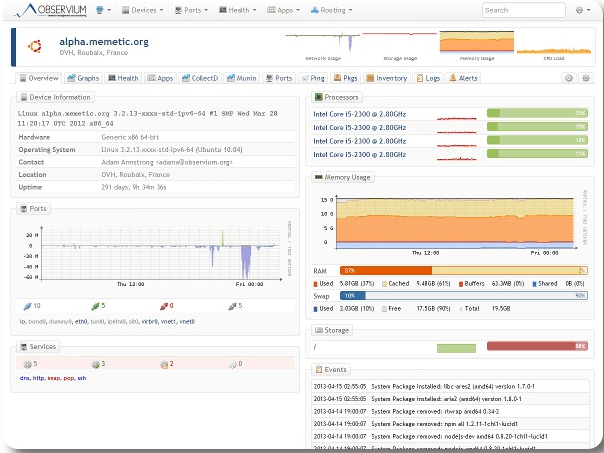
You have a problem while monitoring your servers, switches or physical machines. Observium fits your need. As a free monitoring system, it helps you to monitor your servers remotely. It is an auto-discovering SNMP based network monitoring platform written in PHP which includes support for a wide range of network hardware and operating systems including Cisco, Windows, Linux, HP, NetApp and many other. I will give you the steps to follow while setting up an Observium server on Ubuntu 12.04.
Currently there are two different versions of observium.
The observium Community is a free tool and licensed under the QPL Open Source license. This version is the best solution for small deployments. It gets security updates each 6 months.
While the second version, the Observium Professional is distributed under SVN based release mechanism. And it gets daily security updates. This tool is the best for Service Provider and enterprises deployments.
How to execute script on the last day of a month on Linux or Unix bash shell? How do I run a disk usage or custom reporting shell/perl/python script on the last day of a month on a Linux or Unix-like systems?
You need to use the date command to find out whether tomorrow is the first day of the next month. If it is true, you can run your script.
Say hello to TZ variable
TZ is time zone environment variable on Linux or Unix-like systems. The TZ environment variable tells functions such as the ctime(3) family and programs like date what the time zone and daylight saving rule is. For example, Greenwich Mean Time can be defined as follows:
TZ='GMT'
You can set TZ as follows to get tomorrow from the current date (+%d): TZ=GMT-24 date +%d
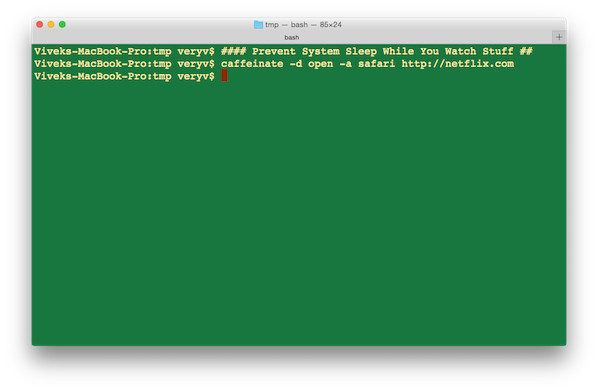
I’m running a process to complete backup and covert images in Mac OS X laptop. I do not wish to disable sleep manually from my OS X power options (Energy Saver). How do I temporarily prevent a Mac from sleeping while my process is still active in Mac OS X Unix operating systems? How can I prevent the system from sleeping temporarily from the command prompt?
You can use the caffeinate command. This command creates assertions to alter system sleep behavior. If no assertion flags are specified, caffeinate creates an assertion to prevent idle sleep.
Another option is to use the pmset command to manipulate power management settings.
In this example hping3 will behave like a normal ping utility, sending ICMP-echo und receiving ICMP-reply
hping3 -1 0daysecurity.com
2. Traceroute using ICMP:
This example is similar to famous utilities like tracert (Windows) or traceroute (Linux) who uses ICMP packets increasing every time in 1 its TTL value.
hping3 --traceroute -V -1 0daysecurity.com
3. Checking port:
Here hping3 will send a SYN packet to a specified port (80 in our example). We can control also from which local port will start the scan (5050).