note: increasing PHP memory limit is different from increasing PHP upload size. You can learn to increase upload size here.
A PHP memory limit of 32MB is the minimum requirement for Drupal 7 (16MB for Drupal 6), and 64MB is recommended. Some sites may need more than 64MB if they are using certain contributed modules such as Views and Panels. Memory limits of 128MB and higher are not unusual. There are several techniques to increase the PHP memory limit and you only need to use one of them. The right one for you depends on your system configuration.
Lire la suite…
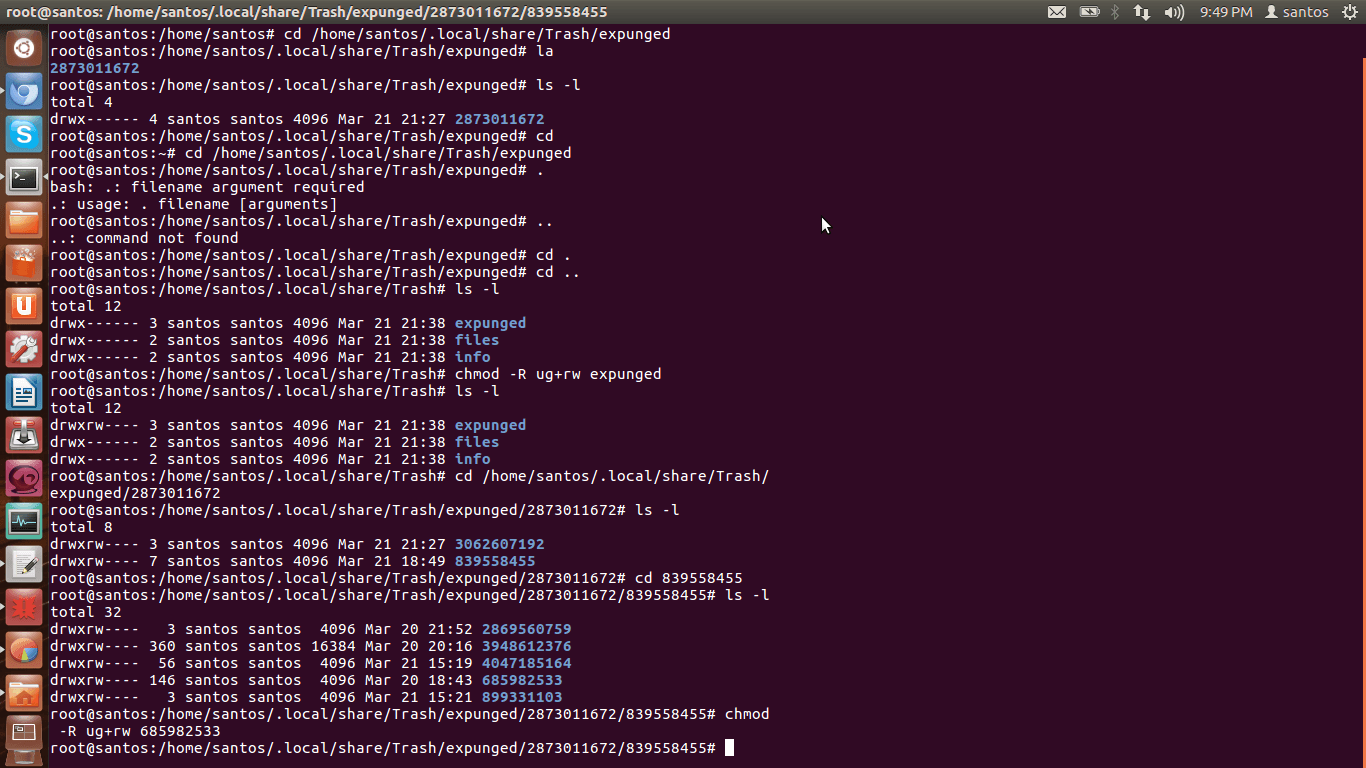
To recursively give directories read&execute privileges:
find /path/to/base/dir -type d -exec chmod 755 {} +
To recursively give files read privileges:
find /path/to/base/dir -type f -exec chmod 644 {} +
Or, if there are many objects to process:
chmod 755 $(find /path/to/base/dir -type d)
chmod 644 $(find /path/to/base/dir -type f)
Or, to reduce chmod spawning:
find /path/to/base/dir -type d -print0 | xargs -0 chmod 755
find /path/to/base/dir -type f -print0 | xargs -0 chmod 644
Selon leur système de cache, quel est le meilleur accélérateur de code PHP ?
Les différents PHP cache accélérateur
Les accélérateurs maintenus
APC — Cache PHP alternatif
Le « Alternative PHP Cache » (APC) est un cache d’opcode libre et ouvert pour PHP permetant d’optimiser le code PHP et le cache de données et le code compilé PHP depuis le compilateur bytecode en mémoire partagée. Il a été conçu afin de fournir un framework libre, ouvert et robuste pour la mise en cache et l’optimisation de code intermédiaire PHP. (extension PECL, incluse en standard à partir de PHP6)
eAccelerator est né en Décembre 2004 comme une branche de Turck MMCache projet. Turck MMCache a été créé par Dmitry Stogov et une grande partie de la eAccelerator code est toujours fondée sur son travail. eAccelerator contenait également un codeur PHP et chargeur, mais le développement personnel de l’encodeur abandonnées et ont supprimé cette fonction après Décembre 2006.
Lire la suite…
Source: OSXdaily
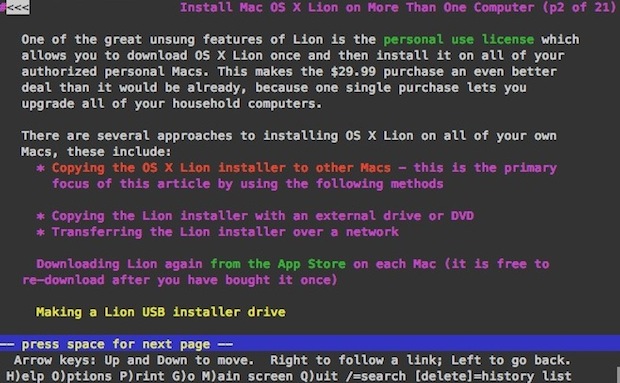
Lynx is a text based command line web browser, it’s relatively popular within unix communities but it also has a variety of general uses too; it’s great if you want to discretely browse the web and read articles at work or school, and developers use lynx frequently to test accessibility and to roughly estimate how spiders or crawlers view a website. Because it only loads text and avoids javascript and images, it’s also lightning fast.
Anyway, after updating to Lion I discovered my previous installation of lynx was not functioning. Thankfully it’s very easy to install a working version with the help of MacPorts.
Installing and Running Lynx in Mac OS X 10.7 Lion
For the purpose of this walkthrough, we’re going to keep requirements to a minimum and install lynx through MacPorts, here’s what you’ll need:
Assuming you have now installed Xcode 4.1 and MacPorts 2.0, here’s how to install lynx:
sudo port install lynx
MacPorts will then fetch all the required dependencies including ncurses and zlib, and then proceed to install the lynx browser.
Once it’s finished, just type ‘lynx’ at the command line and it’ll launch as expected. You can then hit “G” to go to a URL, or open one directly from the command line.
This opens OSXDaily.com, for example:
lynx osxdaily.com
You then just use the arrow keys and return/enter to navigate around a site.
Lynx is great, enjoy!