Source: dr0u.com – 445352
Here’s how you can block traffic coming from an IP, list of IPs, full networks or even entire countries. This is done under a Debian 7 x86 server so adapt the commands to your distro of choice…
1 – Install ipset, for commands reference check http://ipset.netfilter.org
apt-get install ipset
2 – Setup your sets, sets are basically lists in which you’ll add all the IP or IP networks to it, in this case I’m creating a list to support IP Networks (x.x.x.x/yy form). If you need to create a set to support individual IPs use the hash:ip option.
#Create 3 lists, 2 to support networks and 1 to support single IP addresses
#hash:net = Networks
#hash:ip = single IPs
# Command is ipset -N setname [set options], but I'm using default
# options here
ipset -N china hash:net
ipset -N some-country  hash:net
ipset -N badguys hash:ip
# Now we list the just created sets with:
ipset -L
Lire la suite…
 Appropriate firewall rules heavily depend on the services being run. Below are iptables rulesets to secure your Linode if you’re running a web server. These are given as an example! A real production web server may want or require more or less configuration and these rules would not be appropriate for a file or database server, Minecraft or VPN server, etc.
iptables rules can always be modified or reset later, but these basic rulesets serve only as a beginning demonstration.
IPv4
- /tmp/v4
-
*filter

# Allow all loopback (lo0) traffic and reject traffic
# to localhost that does not originate from lo0.
-A INPUT -i lo -j ACCEPT
-A INPUT ! -i lo -s 127.0.0.0/8 -j REJECT

# Allow ping and traceroute.
-A INPUT -p icmp --icmp-type 3 -j ACCEPT
-A INPUT -p icmp --icmp-type 8 -j ACCEPT
-A INPUT -p icmp --icmp-type 11 -j ACCEPT

# Allow SSH connections.
-A INPUT -p tcp -m state --state NEW --dport 22 -j ACCEPT

# Allow HTTP and HTTPS connections from anywhere
# (the normal ports for web servers).
-A INPUT -p tcp --dport 80 -j ACCEPT
-A INPUT -p tcp --dport 443 -j ACCEPT

# Accept inbound traffic from established connections.
-A INPUT -m state --state ESTABLISHED,RELATED -j ACCEPT

# Log what was incoming but denied (optional but useful).
-A INPUT -m limit --limit 5/min -j LOG --log-prefix "iptables_INPUT_denied: " --log-level 7

# Reject all other inbound.
-A INPUT -j REJECT

# Log any traffic which was sent to you
# for forwarding (optional but useful).
-A FORWARD -m limit --limit 5/min -j LOG --log-prefix "iptables_FORWARD_denied: " --log-level 7

# Reject all traffic forwarding.
-A FORWARD -j REJECT

COMMIT


Optional: If you plan to use Linode Longview, add this additional rule below the section for allowing HTTP and HTTPS connections:
# Allow incoming Longview connections
-A INPUT -s longview.linode.com -m state --state NEW -j ACCEPT
Lire la suite…
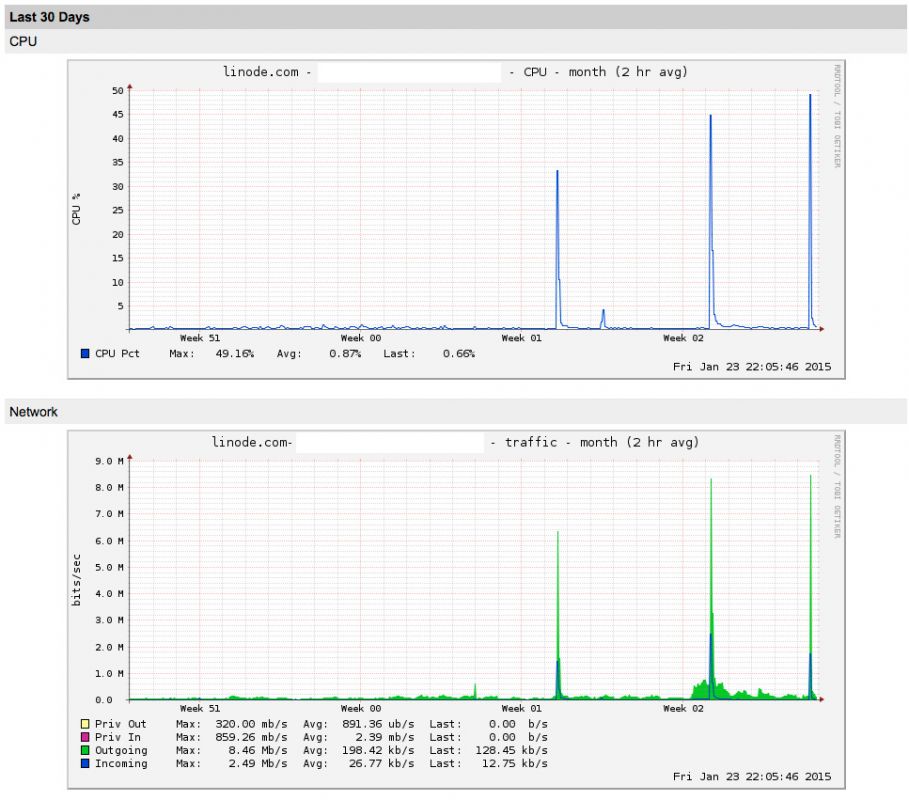
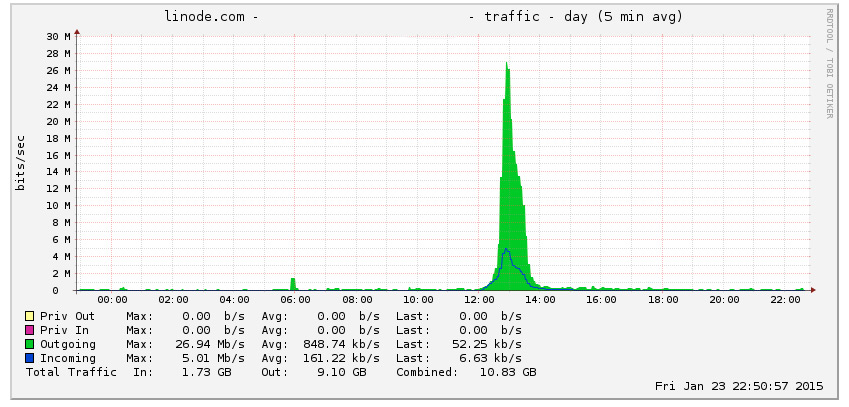
Few days ago, my friend’s WordPress website went down. After investigation, I have figured out that it was receiving massive amount of posts requests to the xmlrpc.php file, which brings the apache and mysql to eat up all the system resources and the website crashed. Fortunately, I have figured out the way to mitigate this attack using Fail2Ban, which I’ll share in this post.
Install the Fail2Ban package using the following command:
apt-get install fail2ban iptables
 Make a local copy of jail.conf file for configuration change:
cp /etc/fail2ban/jail.conf /etc/fail2ban/jail.local

Lire la suite…
 iptables