Detect and Block WordPress Brute Force Login Attacks
 If you run a wordpress blog these days, you are likely to experience brute force attacks where nefarious individuals attempt to break in to your website by quickly a list of userids and passwords against your wp-login.php. Here’s how I automated detection and blocking of WordPress brute force login attacks.
Detecting a WordPress Brute Force Attack
One can typically detect a wordpress brute force attack by parsing through your webserver’s access_log file. The access_log file records all of the access requests that a web server handles. A brute force attack typically will have frequent and numerous attempts to the wp-login.php file as shown below:
Example: In the access_log file below, we detect a brute force login attack on our WordPress blog. We detected it by noticing frequent and constant requests to the wp-login.php file.
31.192.210.159 - - [11/Sep/2014:02:01:43 +0000] "POST http://www.uptimemadeeasy.com/wp-login.php HTTP/1.1" 200 3389 "http://www.uptimemadeeasy.com/wp-login.php" "Mozilla/5.0 (Linux; U; Android 2.2) AppleWebKit/533.1 (KHTML, like Gecko) Version/4.0 Mobile Safari/533.1"
31.192.210.159 - - [11/Sep/2014:02:01:44 +0000] "POST http://www.uptimemadeeasy.com/wp-login.php HTTP/1.1" 200 3389 "http://www.uptimemadeeasy.com/wp-login.php" "Mozilla/5.0 (Linux; U; Android 2.2) AppleWebKit/533.1 (KHTML, like Gecko) Version/4.0 Mobile Safari/533.1"
31.192.210.159 - - [11/Sep/2014:02:01:45 +0000] "POST http://www.uptimemadeeasy.com/wp-login.php HTTP/1.1" 200 3389 "http://www.uptimemadeeasy.com/wp-login.php" "Mozilla/5.0 (Linux; U; Android 2.2) AppleWebKit/533.1 (KHTML, like Gecko) Version/4.0 Mobile Safari/533.1"
31.192.210.159 - - [11/Sep/2014:02:01:47 +0000] "POST http://www.uptimemadeeasy.com/wp-login.php HTTP/1.1" 200 3389 "http://www.uptimemadeeasy.com/wp-login.php" "Mozilla/5.0 (Linux; U; Android 2.2) AppleWebKit/533.1 (KHTML, like Gecko) Version/4.0 Mobile Safari/533.1"
31.192.210.159 - - [11/Sep/2014:02:01:49 +0000] "POST http://www.uptimemadeeasy.com/wp-login.php HTTP/1.1" 200 3389 "http://www.uptimemadeeasy.com/wp-login.php" "Mozilla/5.0 (Linux; U; Android 2.2) AppleWebKit/533.1 (KHTML, like Gecko) Version/4.0 Mobile Safari/533.1"
31.192.210.159 - - [11/Sep/2014:02:01:50 +0000] "POST http://www.uptimemadeeasy.com/wp-login.php HTTP/1.1" 200 3389 "http://www.uptimemadeeasy.com/wp-login.php" "Mozilla/5.0 (Linux; U; Android 2.2) AppleWebKit/533.1 (KHTML, like Gecko) Version/4.0 Mobile Safari/533.1"
31.192.210.159 - - [11/Sep/2014:02:01:51 +0000] "POST http://www.uptimemadeeasy.com/wp-login.php HTTP/1.1" 200 3389 "http://www.uptimemadeeasy.com/wp-login.php" "Mozilla/5.0 (Linux; U; Android 2.2) AppleWebKit/533.1 (KHTML, like Gecko) Version/4.0 Mobile Safari/533.1"
31.192.210.159 - - [11/Sep/2014:02:01:52 +0000] "POST http://www.uptimemadeeasy.com/wp-login.php HTTP/1.1" 200 3389 "http://www.uptimemadeeasy.com/wp-login.php" "Mozilla/5.0 (Linux; U; Android 2.2) AppleWebKit/533.1 (KHTML, like Gecko) Version/4.0 Mobile Safari/533.1"
31.192.210.159 - - [11/Sep/2014:02:01:54 +0000] "POST http://www.uptimemadeeasy.com/wp-login.php HTTP/1.1" 200 3389 "http://www.uptimemadeeasy.com/wp-login.php" "Mozilla/5.0 (Linux; U; Android 2.2) AppleWebKit/533.1 (KHTML, like Gecko) Version/4.0 Mobile Safari/533.1"
31.192.210.159 - - [11/Sep/2014:02:01:55 +0000] "POST http://www.uptimemadeeasy.com/wp-login.php HTTP/1.1" 200 3389 "http://www.uptimemadeeasy.com/wp-login.php" "Mozilla/5.0 (Linux; U; Android 2.2) AppleWebKit/533.1 (KHTML, like Gecko) Version/4.0 Mobile Safari/533.1"
Typically in an event like this, I lookup the IP address in the ARIN database as I showed in a previous article: What Personal Information Can You Get From Your Web Server? Frequently, I find that the address is from APAC or RIPE addresses.

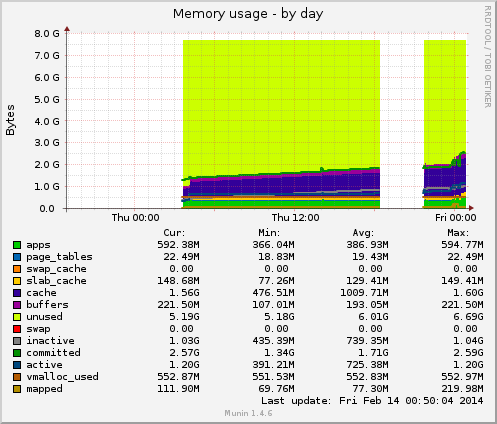 Graphs are added and removed via symlinks in the