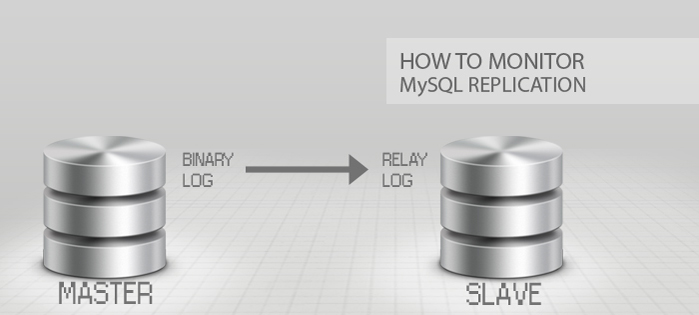
 You have configured your MySql replication, next step is to perform maintenance and monitor your replication. Percona Toolkit for MySQL is a collection of advanced command-line tools to perform a variety of MySQL server and system tasks.
The Percona Toolkit allows you to amongst many tasks to verify MySQL replication integrity, efficiently archive rows, find duplicate indexes, summarize MySQL servers, analyze queries from logs and tcpdump, collect vital system information when problems occur.
To get started you need to install Percona Toolkit, I’m using Ubuntu as an OS on my servers, installing the percona toolkit was straight forward
apt-get install percona-toolkit
To get a summary of your databases use the command – pt-mysql-summary
pt-mysql-summary --u=username --p=password
Next you would want to setup a heartbeat table in your database so you can Monitor MySQL replication delay – for that you will use the pt-heartbeat command.
pt-heartbeat -D wpslavedb --create-table --ask-pass --check --master-server-id 1
You can find the manual for the options here.
pt-heartbeat measures replication lag on a MySQL or PostgreSQL server. You can use it to update a master or monitor a replica. mk-heartbeat depends only on the heartbeat record being replicated to the slave, so it works regardless of the replication mechanism. It works at any depth in the replication hierarchy; for example, it will reliably report how far a slave lags its master’s master’s master.
Start daemonized process to update test.heartbeat table on master:
pt-heartbeat -D wpslavedb --update -h master-server --daemonize --ask-pass
Monitor replication lag on slave:
  pt-heartbeat -D wpslavedb --monitor -h slave-server --ask-pass
  pt-heartbeat -D wpslavedb --monitor -h slave-server --dbi-driver Pg --ask-pass
Check slave lag once and exit (using optional DSN to specify slave host):
pt-heartbeat -D wpslavedb --check h=slave-server --ask-pass
If the replication hierarchy is “master -> slave1 -> slave2” with corresponding server IDs 1, 2 and 3, you can:
  pt-heartbeat --daemonize -D wpslavedb --update -h master --ask-pass
  pt-heartbeat --daemonize -D wpslavedb --update -h slave1 --ask-pass
Then check (or monitor) the replication delay from master to slave2:
pt-heartbeat -D wpslavedb --master-server-id 1 --check slave2 --ask-pass
Or check the replication delay from slave1 to slave2:
pt-heartbeat -D wpslavedb --master-server-id 2 --check slave2 --ask-pass
if you developing and writing SQL statements, this command is very useful pt-query-digest – Analyze MySQL queries from logs, processlist, and tcpdump
pt-query-digest slow.log // requires you to have slow query logged enabled
There are other tools Percona Toolkit, these that I shown is what I find useful for my monitoring and maintenance.
If you want to find out the best MySQL configuration for your application, you can head over to Percona’s website they have a MySql wizards.
Source: torbjornzetterlund.com
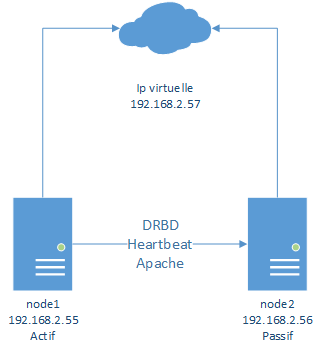
 Heartbeat est un logiciel de surveillance de la disponibilité des programmes, pour les systèmes d’exploitation Linux, FreeBSD, OpenBSD, Solaris et MacOS X. Il est distribué sous licence GPL.