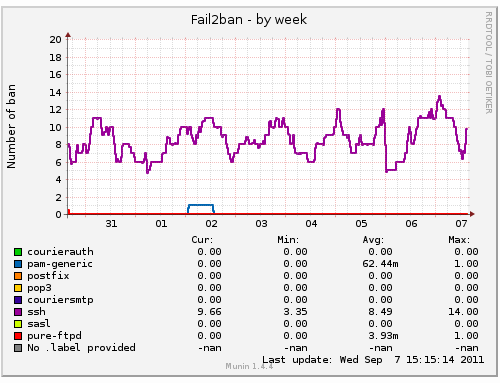
Source: Lone Wolf $cripts
SSH est l’acronyme de Secure SHell. Il s’agit historiquement du remplaçant de Telnet. Telnet est l’outil utilisé pour dialoguer simplement avec un serveur. Sa force : il peut se connecter à n’importe quoi ou presque. Ainsi, un fou utilisant telnet peut envoyer des emails (protocole SMTP), lire des pages Web (protocole HTTP), remettre sa montre à l’heure (protocole NTP), etc… Son inconvénient majeur : toutes les informations circulent en clair sur le réseau, mots de passes compris. A une époque, telnet était utilisé pour ouvrir une session à distance sur un serveur… imaginez le cauchemard. SSH est un outil dédié à l’ouverture de sessions à distances via une connexion sécurisée. Pour faire simple, SSH est à telnet ce que HTTPS est à HTTP : une version chiffrée et sécurisée. Cet article présente certaines des subtilités de SSH. Lire la suite…
 Need to monitor Linux server performance? Try these built-in command and a few add-on tools. Most Linux distributions are equipped with tons of monitoring. These tools provide metrics which can be used to get information about system activities. You can use these tools to find the possible causes of a performance problem. The commands discussed below are some of the most basic commands when it comes to system analysis and debugging server issues such as:
- Finding out bottlenecks.
- Disk (storage) bottlenecks.
- CPU and memory bottlenecks.
- Network bottlenecks.
#1: top – Process Activity Command
The top program provides a dynamic real-time view of a running system i.e. actual process activity. By default, it displays the most CPU-intensive tasks running on the server and updates the list every five seconds.
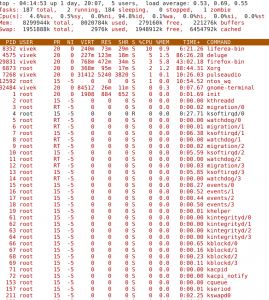 Commonly Used Hot Keys
The top command provides several useful hot keys:
| Hot Key |
Usage |
| t |
Displays summary information off and on. |
| m |
Displays memory information off and on. |
| A |
Sorts the display by top consumers of various system resources. Useful for quick identification of performance-hungry tasks on a system. |
| f |
Enters an interactive configuration screen for top. Helpful for setting up top for a specific task. |
| o |
Enables you to interactively select the ordering within top. |
| r |
Issues renice command. |
| k |
Issues kill command. |
| z |
Turn on or off color/mono |
 source: deribin.com
Very simple solution:
1) add rule to /etc/fail2ban/jail.conf:
[spam]

enabled = true

filter = spam

action = iptables[name=SPAM, port=smtp, protocol=tcp]

sendmail-whois[name=SPAM, [email protected], [email protected]]

logpath = /var/log/mail.log

bantime = 3600

ignoreip = 127.0.0.1 xxx.xxx.xxx.xxx/xx

maxretry = 2
Lire la suite...
 La question revient assez souvent pour se connecter à distance chez soi au travers un VPN quand on dispose d’un routeur sous DD-Wrt derrière une box ADSL.